
A. Performing bulk or batch operations on selected phrases
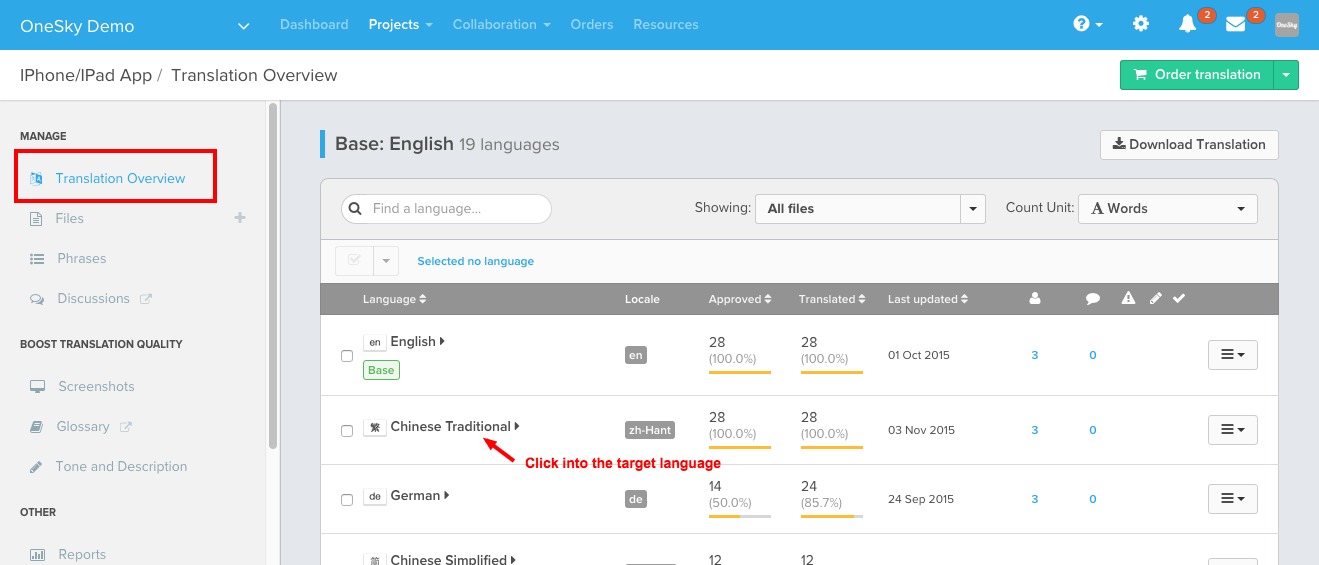
1. Click into the translation interface for the language that you'd like to perform the action
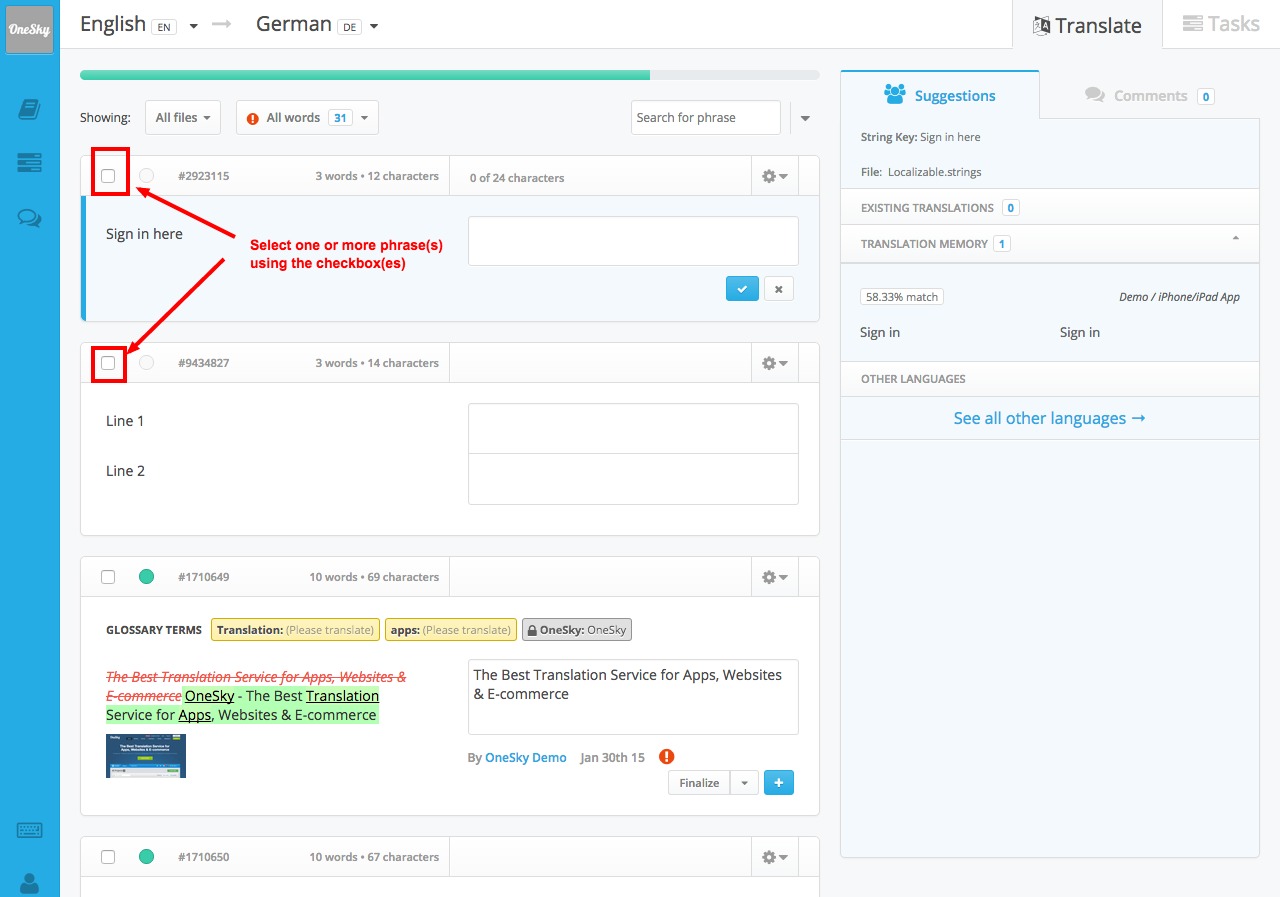
2. Select one or more of the phrases that you'd like to perform the action on
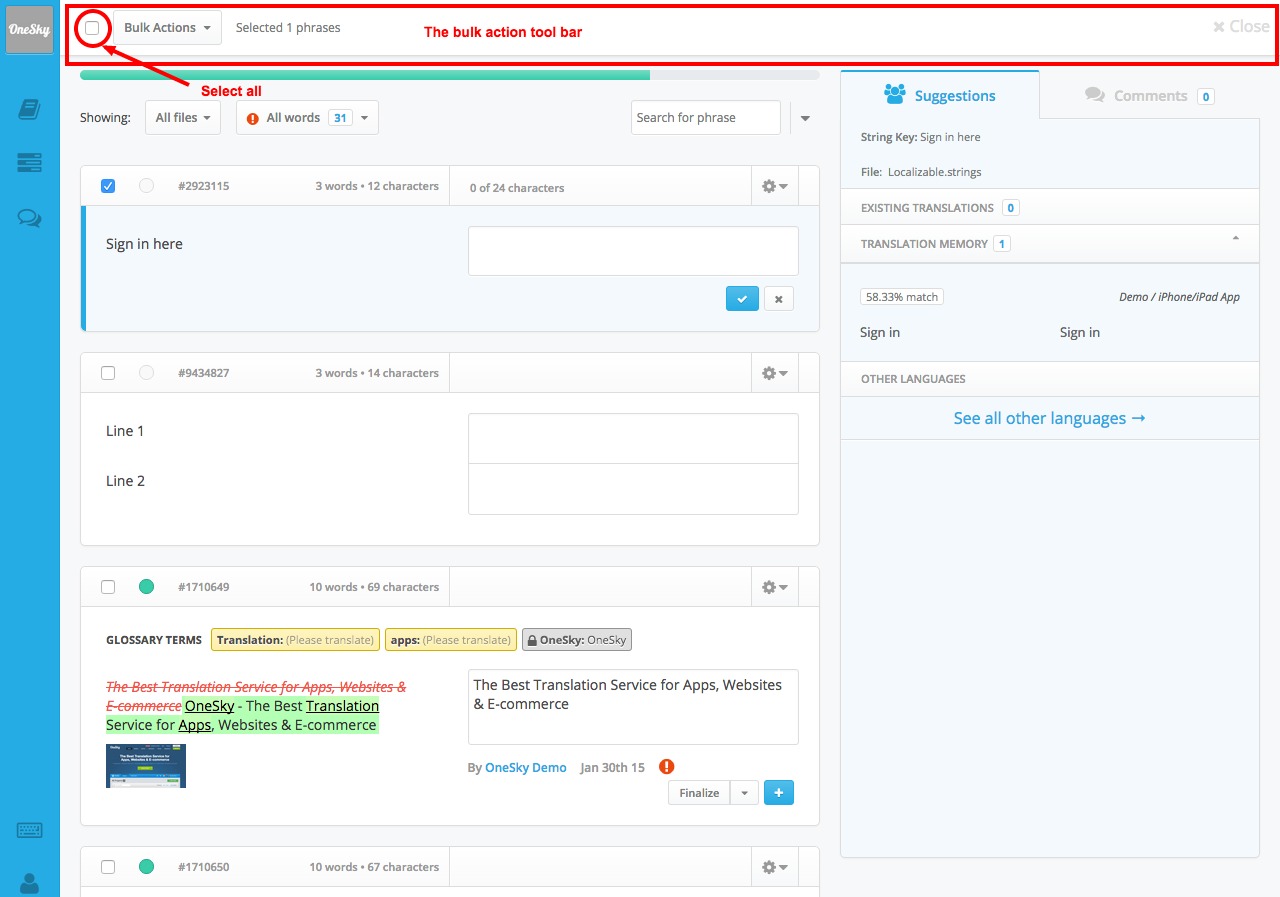
3. A bulk action tool bar will appear at the top of the page and you can select all phrases on that page using the checkbox on the left hand side
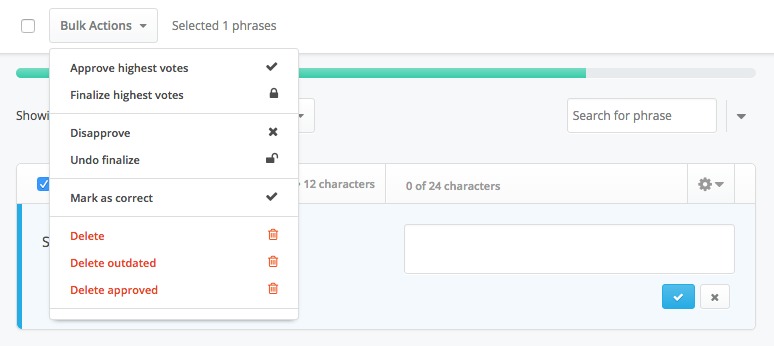
4. Click "Bulk Actions" and select the action you'd like to perform from the drop down menu
B. Performing bulk actions on all phrases of a language
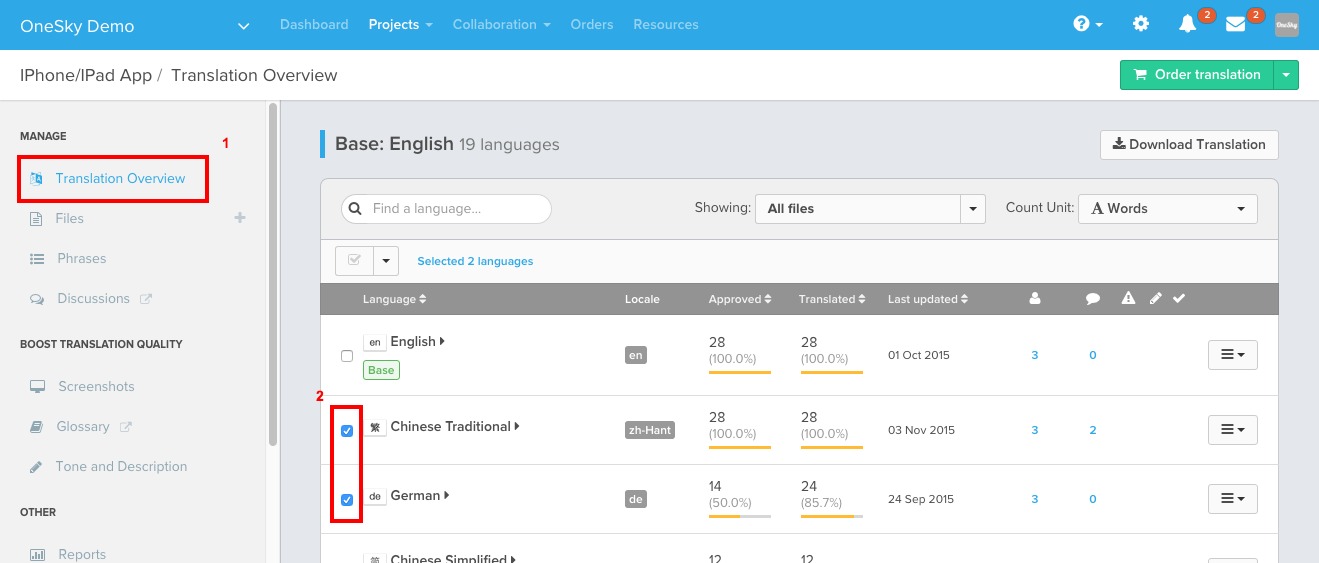
1. Go to "Translation overview"
2. Select the language(s) that you want to perform the bulk action on
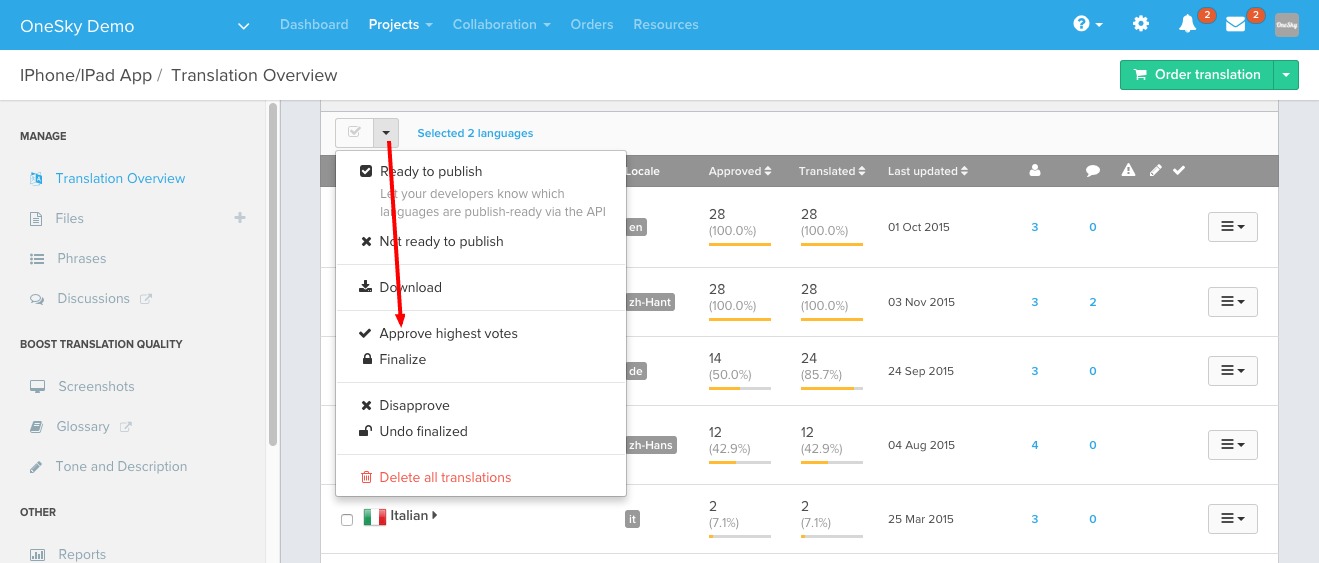
3. Select the bulk action from the drop down menu on top of the language list
Comments
4 comments
Infinite Yield is a Roblox Admin script with many advanced commands to exploit Roblox game. Infinite Yield gives you the ultimate control over your gameplay and the ability to climb the ranks.
Hello,
You can perform bulk actions like approving, finalizing, or deleting translations in batch by selecting multiple entries at once. Look for the bulk action options in your translation management tool's interface, usually found under the "Actions" or "Manage" dropdown menu. This allows you to efficiently process multiple translations simultaneously. ring size chart com
Best Regards,
John Dane
The provided instructions outline two distinct methods for performing bulk actions on phrases within a translation interface. Method A details how to apply actions to selected phrases on a specific page, involving clicking into the language's interface, manually selecting phrases (or all phrases on the page), and then choosing an action from a "Bulk Actions" dropdown. Conversely, Method B describes how to perform bulk actions on all phrases of an entire language, which is done from the "Translation overview" by selecting the desired language(s) and then applying the action. This clear distinction offers flexibility for users to manage translations at different scales.
WalgreensListens
Please sign in to leave a comment.